 NexCoder
Interactive
Prompts before each command; [a]lways adds it to the allowlist.
nexcoder --project C:\MyApp "fix the failing test"CLI agent
The CLI is not a lite version - it is the same agentic core as the IDE with a terminal policy profile. Same sessions, same checkpoints, same skills, same safety rules.
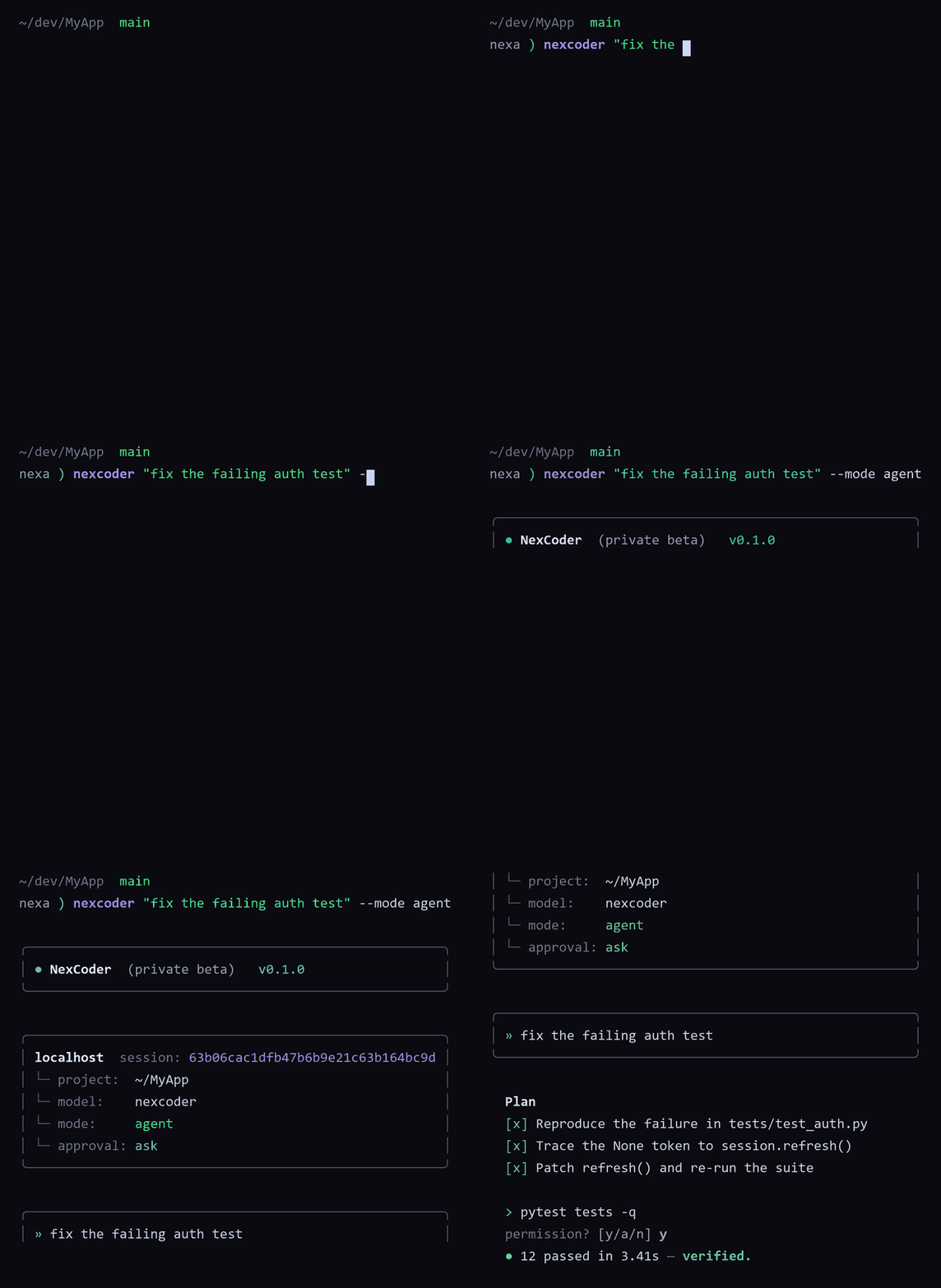
Interactive by default: the agent asks before each command, and [a]lways adds it to the project allowlist.
Prompts before each command; [a]lways adds it to the allowlist.
nexcoder --project C:\MyApp "fix the failing test"No command prompts; risky commands are still denied.
nexcoder --auto --project C:\MyApp "build a landing page"agent | ask | edit | debug | review | scan
nexcoder --mode review --project C:\MyApp "review the auth module"Invoke a skill inline or by flag.
nexcoder "/commit group and commit my changes"JSONL event stream for tooling and CI.
nexcoder --jsonl --project C:\MyApp "scan the project"Full-auto mode drops the prompts but still denies risky commands. The JSONL flag turns every run into a machine-readable event stream.
No command prompts for unattended runs. The risky-command denylist stays active no matter what.
agent, ask, edit, debug, review, or scan - pick the policy profile that fits the job, including read-only profiles for CI review gates.
Compact JSONL events for every step of a run - plans, edits, commands, verification - ready to pipe into your tooling.